Chrome extension
BSR Overlay
for Amazon
Best Sellers Rank, on the search results page.
Install from the Chrome Web Store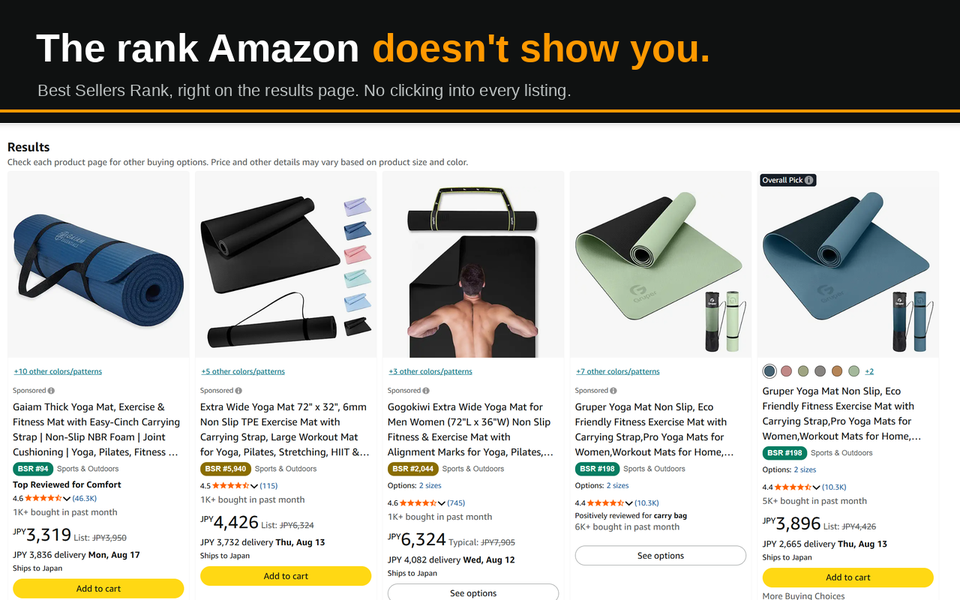
THE PROBLEM
One product page at a time.
Amazon does not show Best Sellers Rank on its search results. To find out how well something sells, you have to open the product page — for every result, one at a time.
FEATURES
What it does
01
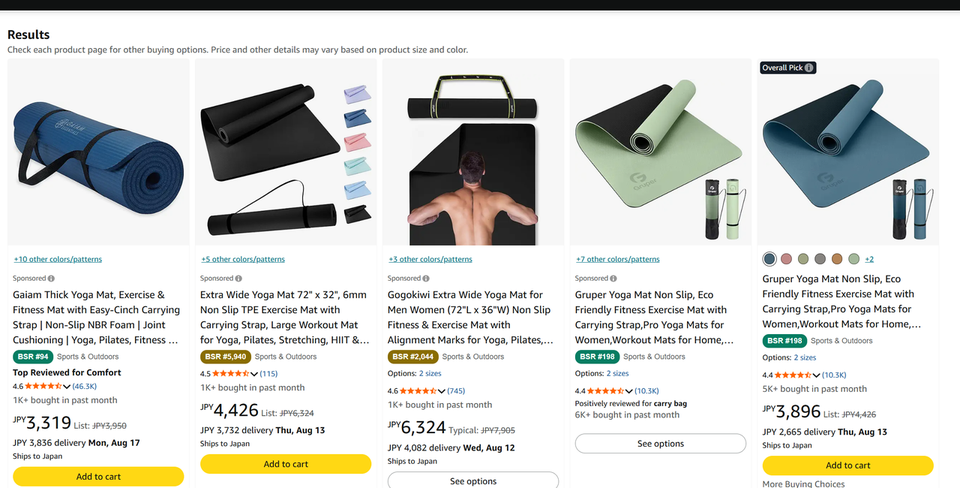
Ranks on the result cards
BSR Overlay puts the rank straight onto the result cards. It loads only the cards you can actually see; scroll, and the next ones fill in. Ranks are cached, so scrolling back is instant, and you choose how many requests run at once.
That restraint is the whole point. A tool that fetches the whole page at once is faster to write and worse to live with.
02
Reading the colours
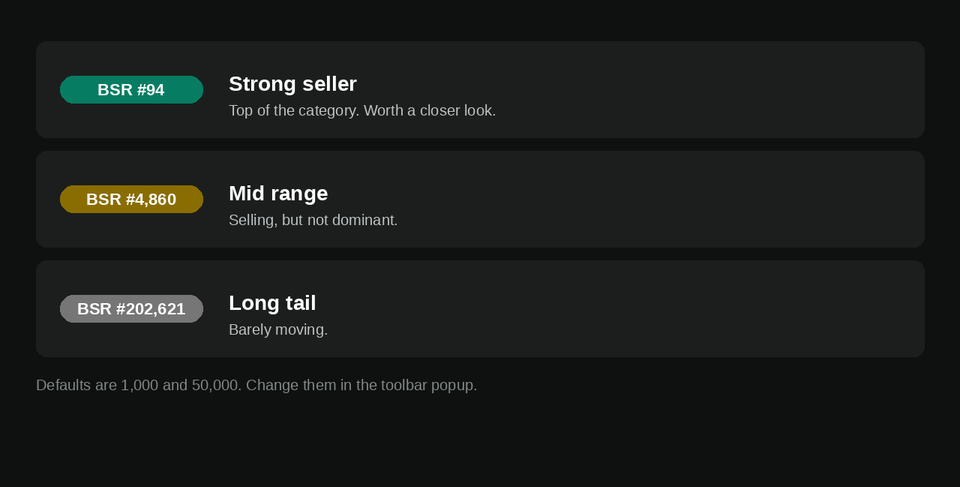
| Colour | Meaning |
|---|---|
| green | strong seller |
| amber | mid range |
| grey | long tail |
Both thresholds are yours to set from the toolbar icon.
03
Marketplaces
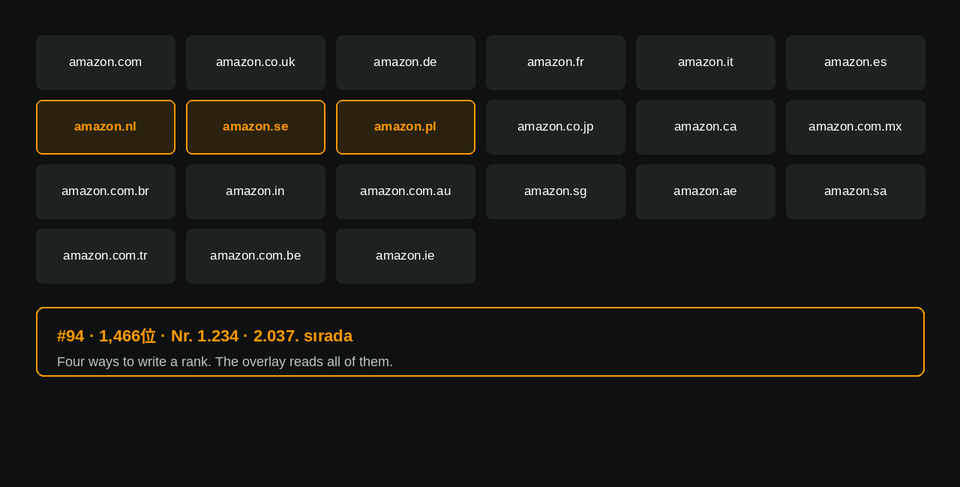
All 21 were opened and checked, not assumed from a table:
- com
- co.uk
- de
- fr
- it
- es
- nl
- se
- pl
- co.jp
- ca
- com.mx
- com.br
- in
- com.au
- sg
- ae
- sa
- com.tr
- com.be
- ie
Rank formats differ by country — #94, 1,466位,
Nr. 1.234, 2.037. sırada — and so does word order. All four are
handled.
HOW TO USE
How to use it
- Search on any Amazon site.
- Ranks appear under each result as you scroll.
- Open the toolbar icon to change the pace or the colour thresholds.
NOT
What it does not do
No ads or affiliate links injected into Amazon pages. No tracking, no analytics, no account. Nothing is sent to us, because there is no server to send it to.
The permission list is one line: storage, used to remember your own settings.
The extension does not declare a host_permissions key in its manifest. It runs
only on the Amazon domains listed in its content_scripts, and on no other site.
It asks the Amazon site you are already on for information it already serves.
Know how it sells before you click.
Bugs and requests: support@extlabo.com
If our reply doesn't arrive, please check your spam folder.